


n8n is an open-source workflow automation tool designed to connect apps, services, and APIs without locking users into a closed ecosystem. It uses a visual, node-based interface where each step in a workflow — called a node — represents an action or integration. This approach gives teams full visibility into how data moves between systems.
You own your automation logic. Unlike many proprietary platforms, n8n prioritizes user control and transparency. Its open-source nature means you can inspect, modify, or extend every part of the system. The platform blends no-code simplicity with low-code flexibility. Non-developers can build basic workflows using prebuilt nodes, while developers can write custom functions or integrate private APIs.
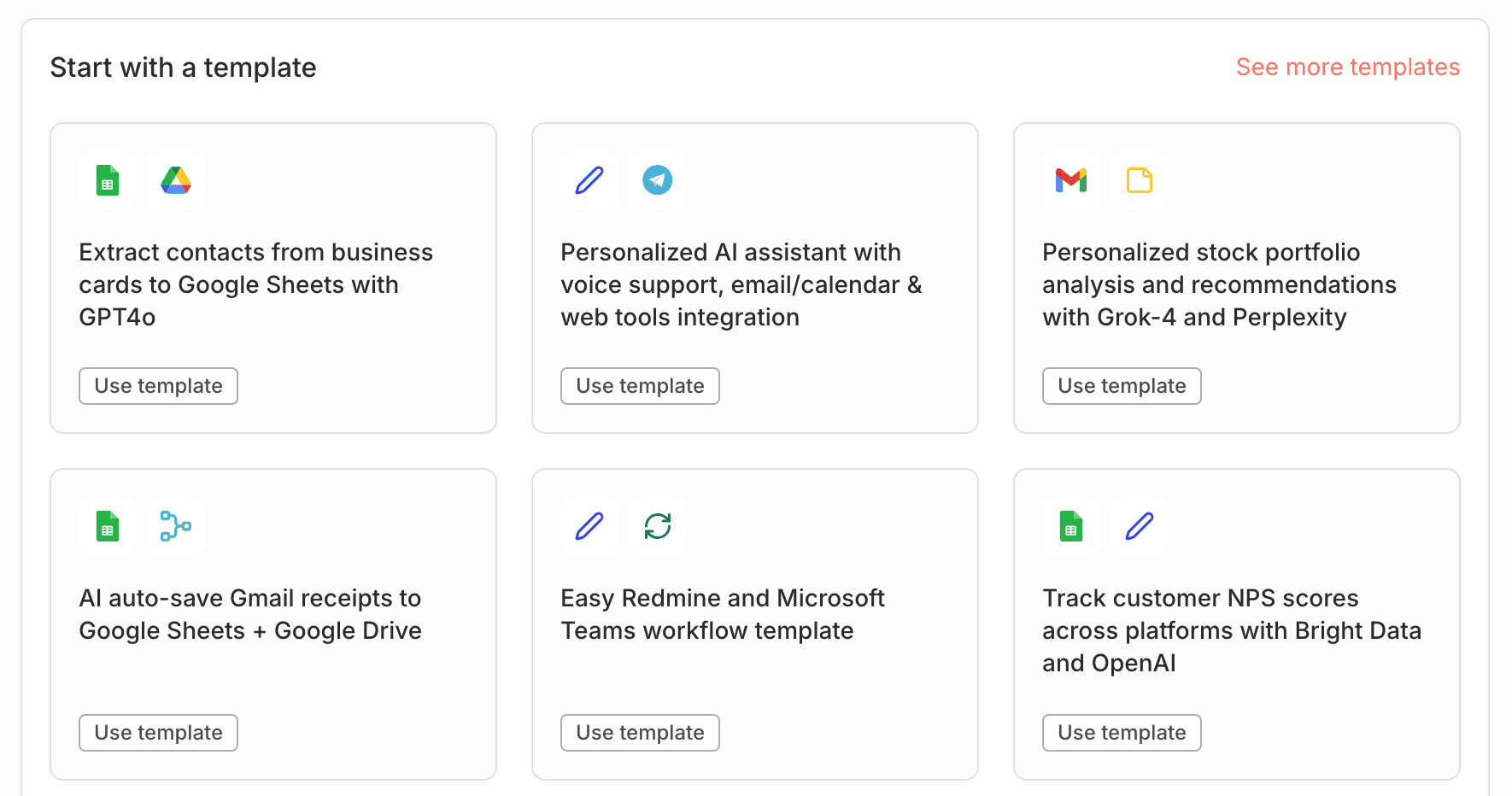
Self-hosting is fully supported. This makes n8n a strong choice for organizations requiring data sovereignty or strict compliance. Backed by an active community and regular updates, it balances accessibility with technical depth — ideal for both beginners and experienced engineers exploring workflow automation.
How Does n8n Work?
n8n workflows are built by connecting nodes — individual blocks that each perform a specific task. A workflow might start with a trigger node, like receiving a new email or a webhook call, then pass data to subsequent nodes that transform, filter, or act on it. Data flows in one direction: from input to output. Each node receives data from the previous one, processes it, and hands it off downstream. This linear progression keeps logic easy to follow, even as workflows grow in complexity.
But n8n isn’t limited to straight lines. You can split paths using IF nodes, loop through datasets, or retry failed steps — all through intuitive drag-and-drop actions. Conditional branching lets you send data down different routes based on real-time values.
Error handling is built in. If a node fails, you can route execution to a fallback path or log the issue without breaking the entire flow. For advanced users, custom JavaScript or expressions can manipulate data directly inside nodes. This mix of visual simplicity and programmatic power makes n8n workflows both approachable and deeply customizable.
Common Use Cases for n8n
n8n thrives where automation needs depth, not just speed. It’s widely used by technical teams who require more than simple app-to-app triggers — especially when workflows involve conditional logic, internal systems, or strict data-handling rules. Because it’s self-hostable and extensible, n8n fits seamlessly into custom infrastructure, from dev environments to regulated production setups.
Key real-world applications include:
- Cross-platform data sync. Keep CRM, support, and marketing tools in sync by automatically updating records across platforms when a change occurs in one.
- Smart notifications. Send contextual alerts to Slack, email, or Microsoft Teams based on system events — like failed deployments, form submissions, or inventory thresholds.
- Invoice and payment workflows. Trigger invoice generation in Stripe or PayPal upon order confirmation, then log transactions in Google Sheets or a private database.
- Scheduled reporting. Pull daily metrics from APIs (e.g., Google Analytics, GitHub), format them into summaries, and email PDF reports every morning.
- Web scraping & enrichment. Extract public data, clean it with built-in functions, and push it into dashboards or databases for analysis.
- Smart home or IoT control. Connect n8n to local MQTT brokers or REST-enabled devices to automate lighting, climate, or security routines.
- Custom backend orchestration. Use n8n as a lightweight workflow engine inside proprietary apps — handling user onboarding sequences, data migrations, or microservice coordination.
Developers also experiment with n8n as an embedded automation layer in SaaS products or as a visual scripting interface for non-coders on their team. Its blend of no-code usability and code-level access makes it uniquely adaptable.
n8n Pricing and Deployment Options
n8n is free to self-host under the Fair Code license — an open-source model that grants full access to the codebase while reserving certain commercial rights. This means you can deploy, modify, and run n8n on your own infrastructure without recurring fees or usage limits.
You keep complete control over your data. Self-hosting is ideal for teams prioritizing privacy, compliance, or integration with internal systems. There’s no vendor lock-in, and all workflow logic stays within your environment.
For those who prefer managed infrastructure, n8n Cloud offers hosted plans starting with a free tier. Paid plans scale based on execution minutes, active workflows, and advanced features like team collaboration or audit logs. The provider handles updates, backups, and scaling automatically.
Cloud simplifies operations. Both options share the same core functionality, so you can prototype in the cloud and migrate to self-hosted — or vice versa — without rewriting workflows. The choice depends on your team’s resources, security needs, and operational preferences.
n8n vs. Zapier – Key Differences
Zapier excels at quick, no-code automations for non-technical users. Its interface is streamlined, onboarding takes minutes, and thousands of prebuilt app integrations work out of the box. You trade control for convenience — everything runs on Zapier’s infrastructure, with limited visibility into data handling or logic execution. n8n demands more upfront effort — but returns greater power.
It requires setup, especially if self-hosted, but gives teams full ownership of their automation stack. Unlike Zapier, n8n lets you build custom nodes, inject JavaScript, or connect to internal APIs that aren’t publicly exposed. This makes it far more adaptable for complex business logic or regulated environments. Both support popular apps, but n8n’s open architecture extends further.
Zapier scales well for simple, high-volume tasks, but hits limits when workflows need branching logic, error recovery, or cross-system orchestration. n8n handles those scenarios natively, making it better suited for engineering or DevOps teams managing mission-critical pipelines. Choose Zapier for speed. Choose n8n for sovereignty. If your priority is “set and forget” simplicity, Zapier wins. If you need transparency, customization, and long-term scalability under your control, n8n is the stronger foundation.
| Feature | n8n | Zapier |
|---|---|---|
| Core Licensing | Open-source (Fair Code license); free to self-host and modify | Proprietary SaaS; no access to source code |
| Hosting Control | Full self-hosting support; run on-premises, in private cloud, or VPS | Cloud-only; no self-hosting option |
| Workflow Logic | Supports complex branching, loops, error handling, and manual approvals | Linear “Zaps” with basic filters; limited conditional logic |
| Data Ownership | All data stays in your environment when self-hosted | Data passes through Zapier’s servers; subject to their privacy policy |
| Ideal For | Technical teams needing control, compliance, or complex automation | Non-technical users seeking quick, out-of-the-box automations |
This table highlights strategic differences — not just feature parity — helping readers choose based on infrastructure philosophy, not just functionality.
Frequently Asked Questions (FAQs)
Can n8n run without an internet connection?
Yes, n8n can operate entirely offline when self-hosted on a local or air-gapped network. This is useful for automating internal tools, legacy systems, or secure environments where external connectivity isn’t allowed. All processing happens on your machine, and workflows function as long as required services (like databases or APIs) are reachable within the local network. Just ensure dependencies like Docker or Node.js are pre-installed before going offline.
How does n8n handle sensitive credentials?
n8n stores credentials encrypted at rest using a user-defined encryption key. When you configure a node (e.g., for Gmail or AWS), credentials are saved separately from workflows and never exposed in plain text. In self-hosted setups, you control the encryption key and storage location — enhancing security. For production, it’s recommended to use environment variables or integrate with a secrets manager like HashiCorp Vault for added protection.
Is n8n suitable for enterprise-grade automation?
Yes, especially in self-hosted deployments. Enterprises use n8n to build auditable, version-controlled automation pipelines that comply with internal governance policies. Its support for role-based access (in cloud plans), custom error handling, and integration with CI/CD tooling makes it viable for complex, team-managed workflows. While it lacks some enterprise features out of the box, its open architecture allows organizations to extend it to meet specific compliance or scalability requirements.
Can I version-control my n8n workflows?
Self-hosted n8n stores workflows as JSON files, which can be tracked in Git or any version control system. This enables collaborative development, rollback to previous states, and deployment across environments (dev, staging, prod). You can even automate testing by validating workflow JSON against schemas. Cloud users currently lack native Git sync, but export/import functionality allows manual versioning.
What happens if a workflow fails mid-execution?
n8n logs detailed execution data, including which node failed and why. You can design workflows with error-trigger nodes to catch failures and reroute logic — sending alerts, retrying, or saving partial results. In self-hosted setups, logs are accessible via the UI or server logs. For critical automations, pairing n8n with monitoring tools (like Prometheus or health checks) ensures rapid detection and recovery from interruptions.